

写真・動画投稿
公開投稿の写真や動画を、画質を落とさず端末へ保存できます。
 InstantKeep
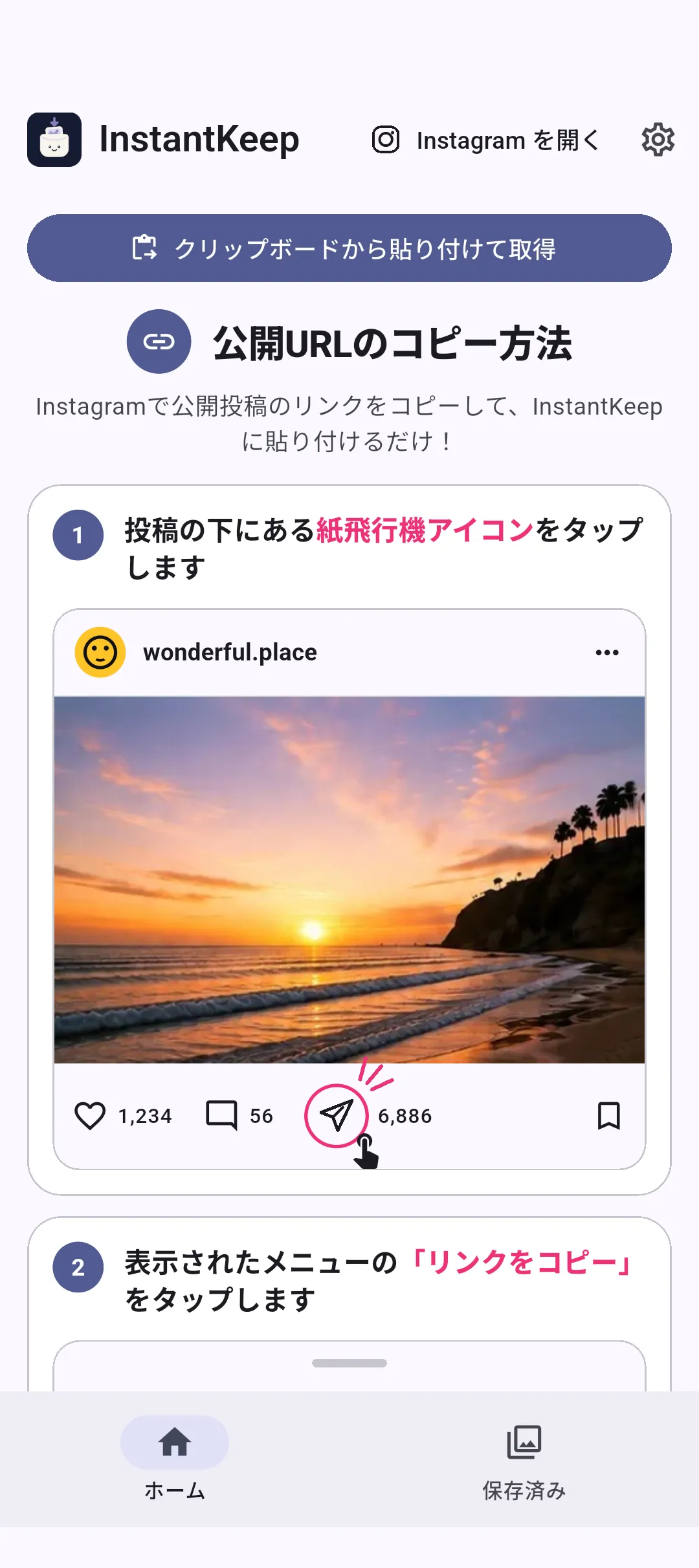
写真・動画・リール・複数枚投稿を画質を落とさず保存 / Android
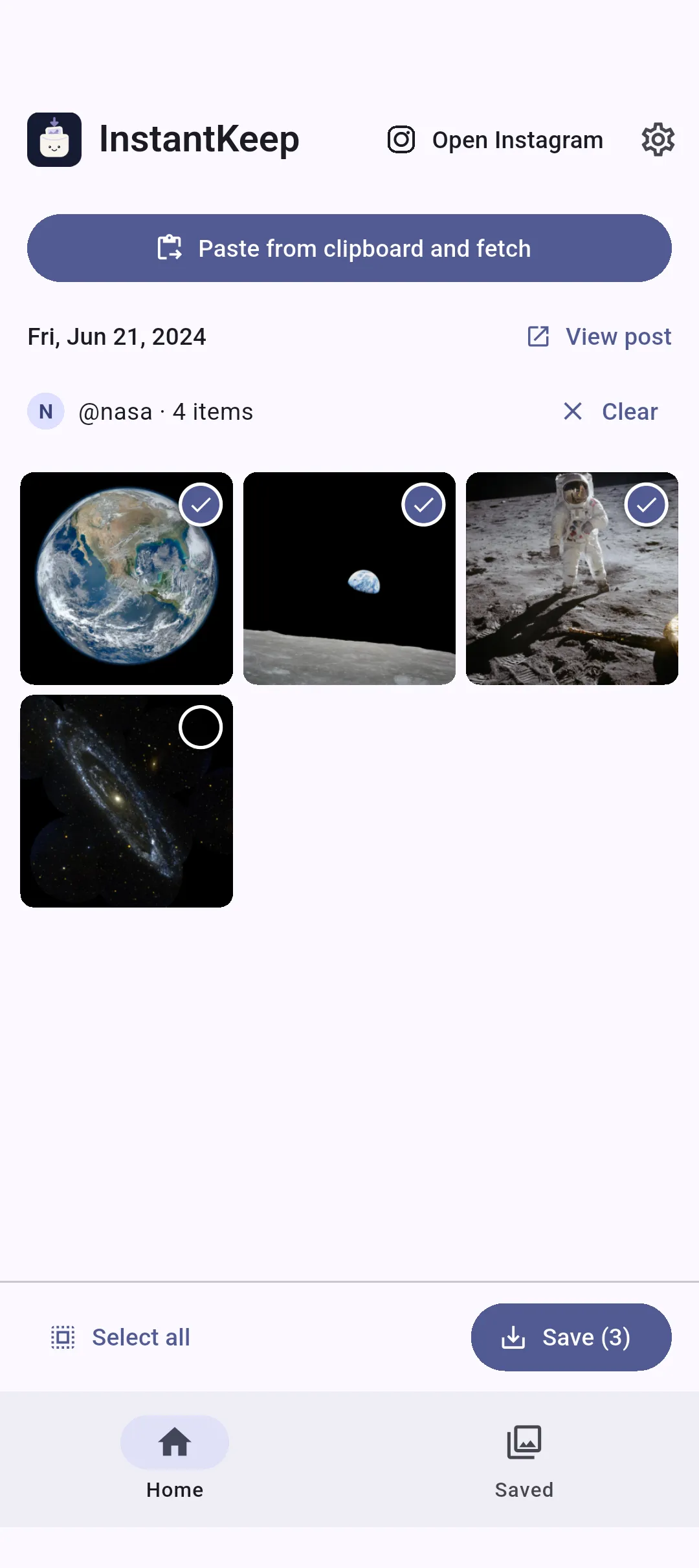
公開投稿やリールのURLを貼るだけ。カルーセル(複数枚投稿)も、欲しい写真・動画を選んでまとめて保存できます。ログイン不要で、画質を落とさず保存。起動時やアプリに戻った瞬間に、音付きの全画面動画広告が突然始まることはありません。

選ばれる理由
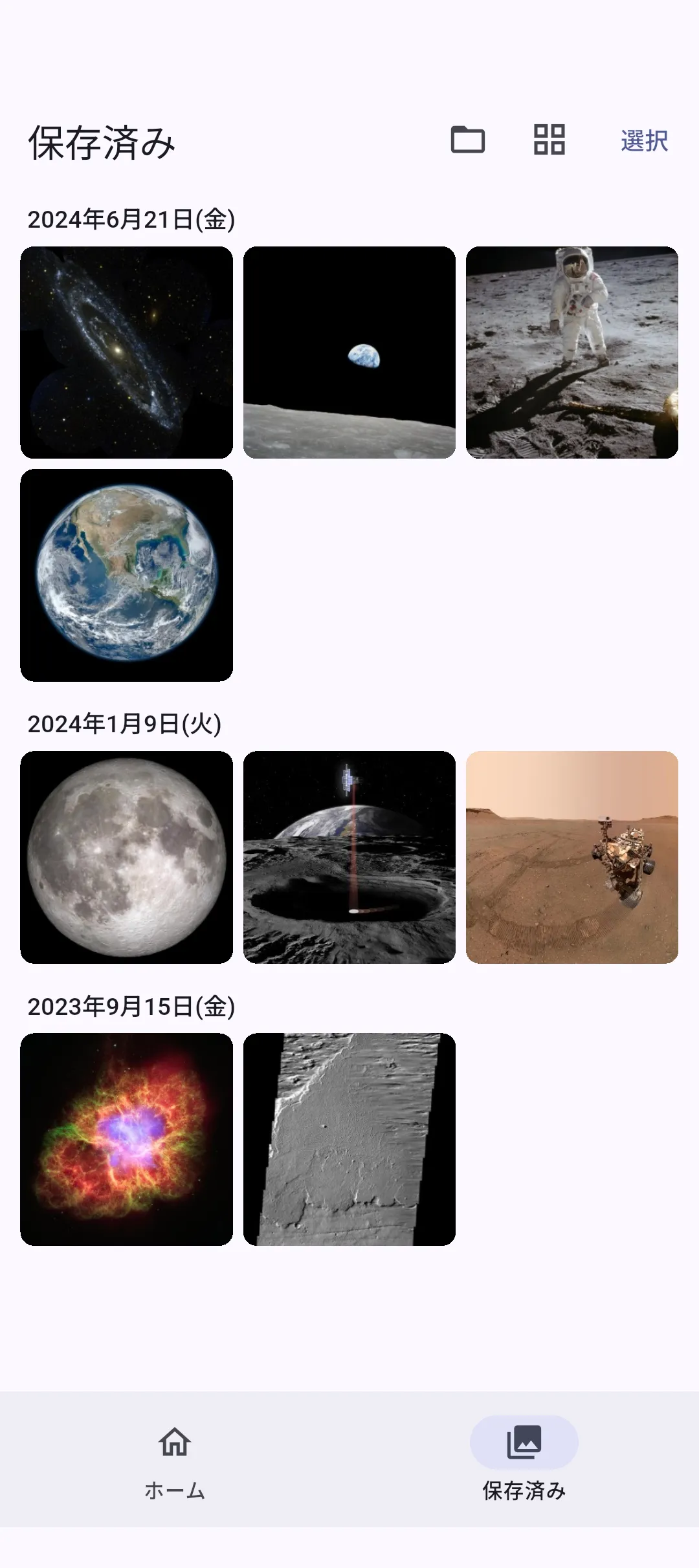
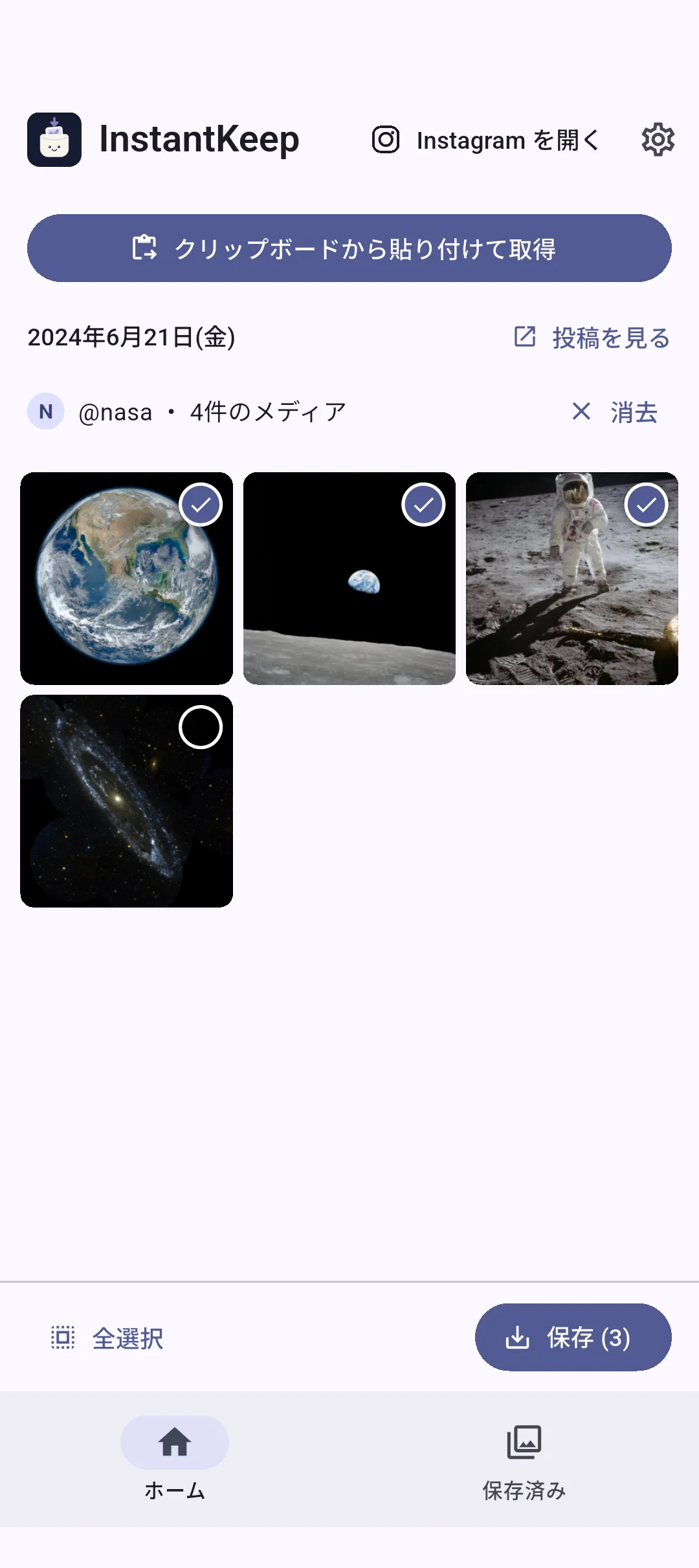
複数枚投稿もまとめて欲しい写真・動画を選択
いきなり広告で邪魔されない音付きの全画面動画が突然始まりません
ログインなしで、きれいなまま保存URLを貼るだけですぐ使える
なぜInstantKeepを作ったか
私が試したInstagram保存アプリの多くは、画面いっぱいの動画広告が何度も表示されました。しかも音付きで、起動した瞬間や別のアプリから戻った瞬間にも突然始まる。写真を一枚保存したいだけなのに、操作を止められることにうんざりしました。
だからInstantKeepは、URLを貼る、欲しい写真や動画を選ぶ、保存する、という流れを、意図しない全画面動画広告で邪魔しないアプリにしました。
公開投稿やリールはもちろん、カルーセル(複数枚投稿)も、欲しいものを選んで画質を落とさず保存できます。
— InstantKeep 開発者
What you can save
公開投稿の写真や動画を、画質を落とさず端末へ保存できます。
リールのURLを貼るだけ。短い動画も迷わず保存できます。
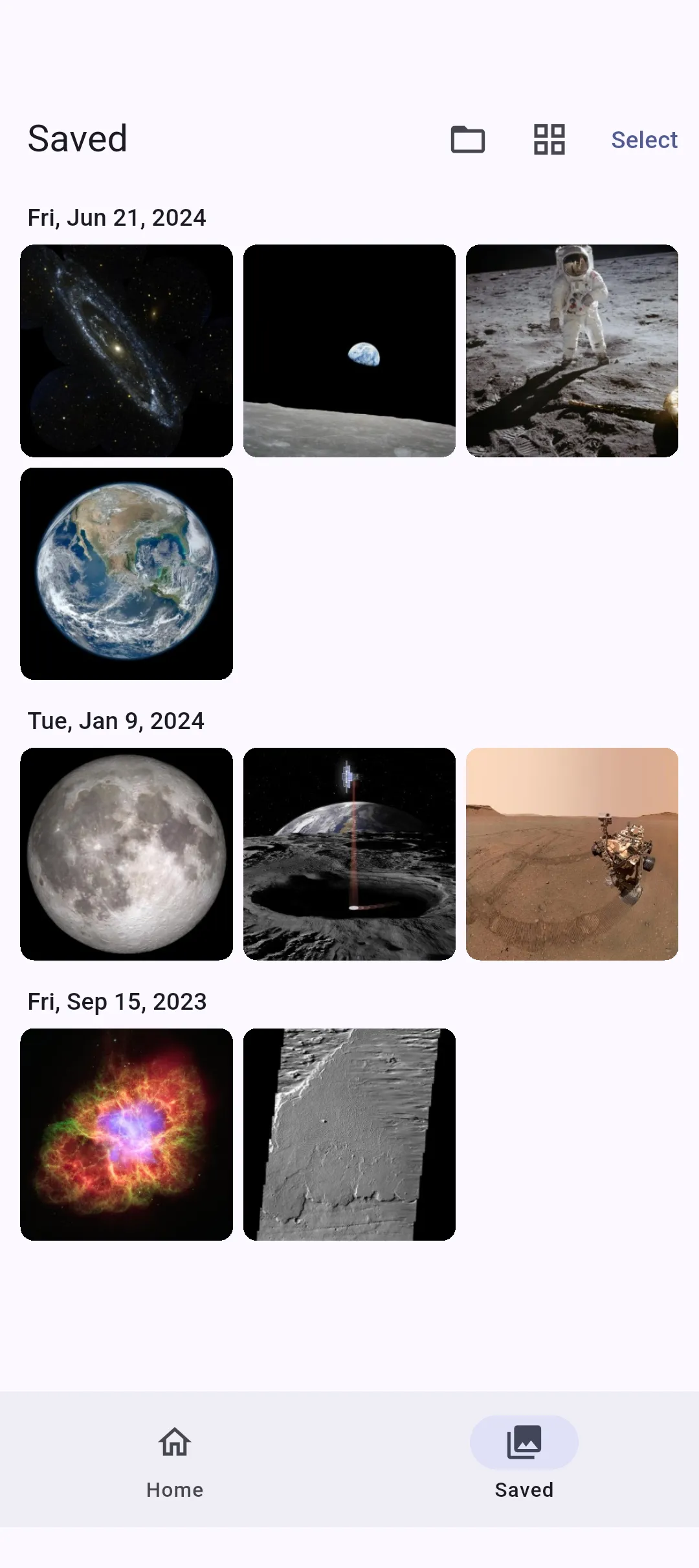
投稿内の画像・動画を選択し、まとめて一括ダウンロードできます。
Three things
操作を始めようとした瞬間に、音付きの動画広告で画面を占有しません。
アカウントを連携せず、公開投稿のURLだけで使えます。
スクリーンショットではなく、取得した画質を劣化させず端末へ保存します。
HONEST NOTE
開発者の本音
速い。簡単。
邪魔しない。
ダウンロード数は、まだ多くありません。でも、自分が試した保存アプリの中では、いちばん使いやすいものにできたと思っています。
URLを貼る。欲しいものを選ぶ。保存する。余計な機能は入れない。予期しない広告で操作を止めない。できるだけ速く、迷わず保存までたどり着ける。
Instagramの写真・動画やリールを保存する。その一つの目的に、きちんと使いやすいアプリを作りました。
3 steps / How it works
やることは、3つだけ。
Available now
Android端末に無料でインストールできます。
Save photos, videos, Reels & multi-photo posts without losing quality / Android
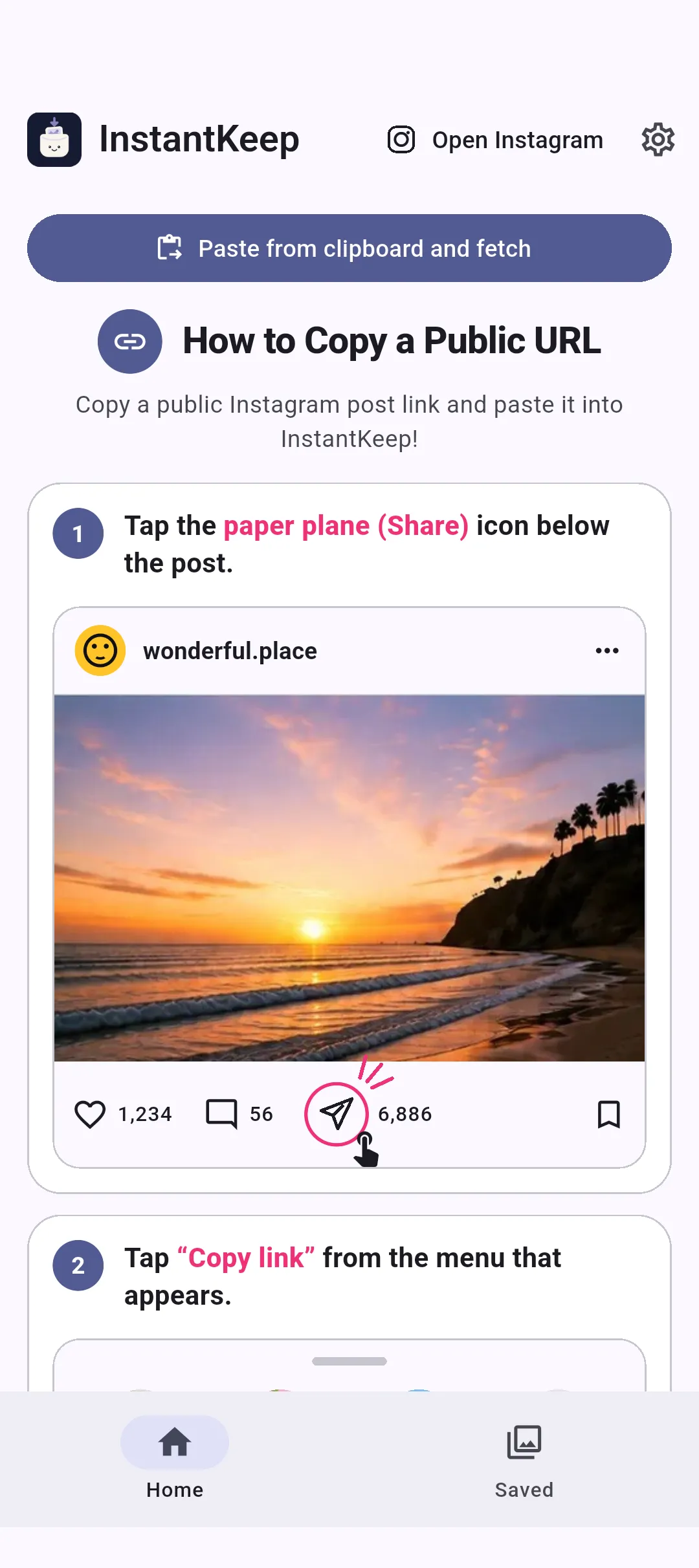
Paste the URL of a public post or Reel. From a multi-photo post (carousel), select the photos and videos you want and save them together. No login, no loss of quality—and no full-screen video ad suddenly starts with sound when you open InstantKeep or return to it.

WHY INSTANTKEEP
Save multi-photo posts togetherSelect the photos and videos you want
No ads interrupt youNo full-screen video suddenly plays with sound
No login. Keep photos and videos clear.Paste a URL and get started
Why I built InstantKeep
Many of the Instagram-saving apps I tried showed full-screen video ads again and again. They could suddenly start with sound when I opened the app or returned from another one—all while I was only trying to save a photo.
So I built InstantKeep around one uninterrupted flow: paste the URL, choose the photos and videos you want, and save them. No unexpected full-screen video ad gets in the way.
It works with public posts, Reels and multi-photo posts (carousels), and saves the media you choose without reducing its quality.
— The developer of InstantKeep
What you can save
Save media from public posts to your device without losing quality.
Paste the Reel URL and save the video without extra steps.
Select multiple photos and videos, then download them together.
Three things
No video ad suddenly takes over your screen with sound just as you are about to use the app.
No account connection—just paste the URL of a public post.
Save the fetched media to your device without taking a screenshot.
HONEST NOTE
The honest take
Fast. Simple.
Out of the way.
InstantKeep may not have the download numbers yet. But among the saving apps I’ve tried, I believe this is the easiest one to use.
Paste the URL. Choose what you want. Save it. No unnecessary features. No unexpected ads stopping the flow. Get from URL to saved media as quickly and clearly as possible.
Save Instagram photos and videos. I built one app to do that one job properly.
How it works
Privacy, plainly
There is no account to create. Your device connects directly to Instagram, and saved photos and videos are not sent to us.
Learn more →Available now
Install InstantKeep free on your Android device.